In a nutshell
- 🔌 It’s generally safe to use your phone while charging with certified chargers and intact cables; the real risks are heat and counterfeit accessories, not everyday scrolling.
- 🧠 Modern phones use a Battery Management System (BMS) and power path management to balance system draw and charging, slowing or pausing when temperatures rise.
- 🛑 Myths debunked: no, normal use won’t cause explosions or electrocution; hazards usually involve fake adapters and damaged batteries—look for UKCA/CE marks and proper BS 1363 sockets.
- 🌡️ Manage heat: avoid charging on soft surfaces, remove thick cases during heavy use, replace frayed cables, and prefer reputable wall adapters over risky public USB ports (or use a USB data blocker).
- 🔋 For battery health, aim for 20–80% when convenient, enable Optimised Charging, avoid frequent deep discharges, and watch for red flags like sudden throttling or battery swelling.
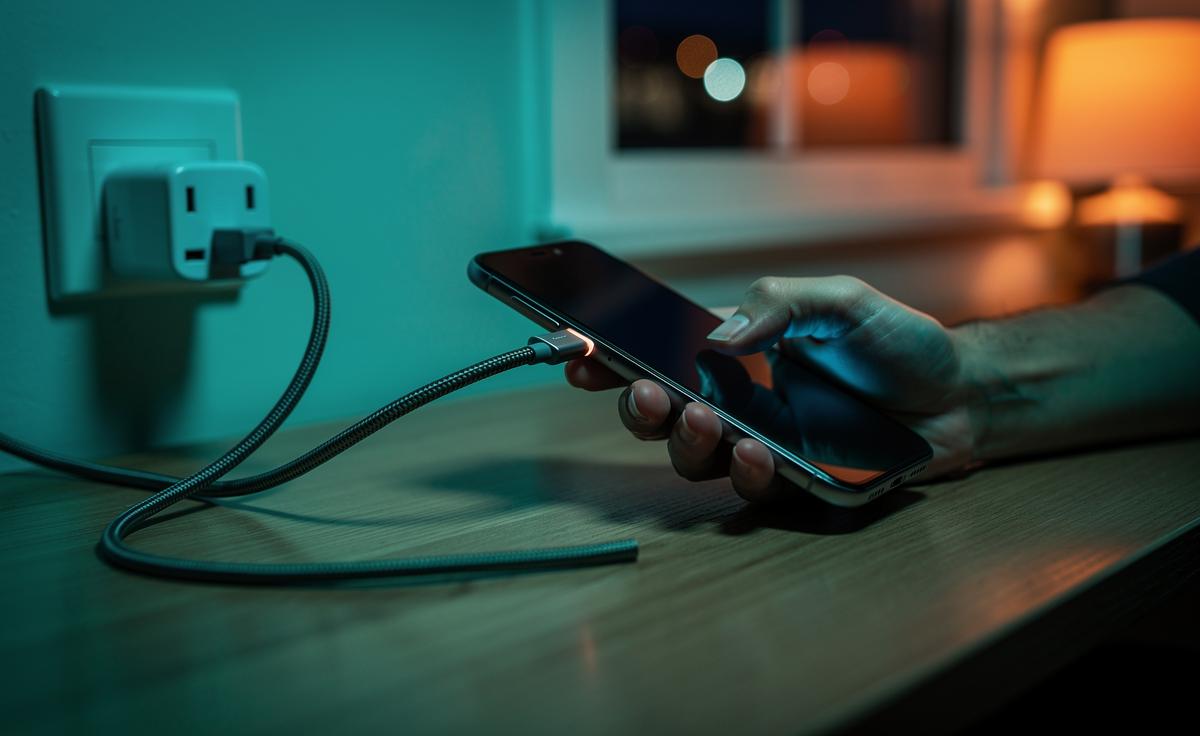
We’ve all heard it: don’t use your phone while charging or you’ll fry the battery, get shocked, or cook the device. The claim persists, often boosted by viral posts and hazy anecdotes. Yet modern phones are small power systems with lithium‑ion cells, intelligent controllers, and strict safety features. What matters most isn’t the act of scrolling while plugged in, but heat, accessory quality, and environment. In normal conditions with certified chargers and intact cables, using a phone while it charges is generally safe. Let’s separate myth from mechanism, so you know what’s actually risky, what isn’t, and how to protect both your fingers and your battery health.
What Actually Happens when You Use a Phone While Charging
Inside every smartphone sits a Battery Management System (BMS) that orchestrates current flow, temperature monitoring, and charge termination. When you’re plugged in and browsing or gaming, the device draws power from the charger and, if needed, the battery, a process often called power path management. The charger supplies DC power; the phone converts and allocates that energy to the system and the cell, throttling to limit stress. Fast standards—USB Power Delivery, proprietary turbo modes—negotiate voltage and current to maximise speed while managing heat.
This is why your handset may slow charging if you’re streaming video or running navigation. The bottleneck is thermal, not mystical. Resistive losses in cables and components create heat; the BMS will cut back to protect the cell. If a device gets too hot, it deliberately charges more slowly—or pauses—to avoid damage. That’s by design, not a sign of imminent failure. Using the phone doesn’t suddenly rewrite physics; it just adds workload that the system balances against the available power budget.
In everyday UK use on mains power, you’re not interacting with 230 V directly; you’re handling low‑voltage DC after the wall adapter has transformed it. The real variables you control are simple: the quality of the charger, the integrity of the cable, and how much heat you generate with heavy apps. Keep those in check, and the process remains uneventful.
Common Myths Versus Evidence
Myth one: “Phones explode if you use them while charging.” Actual risk: extremely low with reputable hardware. Failures you see on social media usually involve counterfeit chargers, damaged batteries, or physical abuse (crushed cells, punctures). Myth two: “You’ll get electrocuted by the mains.” Your hands touch the phone and cable carrying low‑voltage output; the high‑voltage side stays sealed inside the adapter. Genuine adapters incorporate isolation and overcurrent protection.
Myth three: “Charging to 100% while in use kills the battery immediately.” Lithium‑ion wear is cumulative, linked to temperature and time spent at high state of charge. It’s not instant doom, just gradual chemistry. Many phones now feature Optimised Charging or similar algorithms to reduce this exposure. Abuse looks like heat plus cheap accessories plus neglect—not ordinary scrolling with a certified plug.
Myth four: “Fast charging is unsafe by definition.” Fast charging produces extra heat, yes, but modern controllers constantly monitor conditions. If your device or adapter runs too hot, the system slows down. Reality check: most hazards arise from fake, non‑certified power bricks or frayed leads, not the act of tapping a screen. For UK consumers, look for UKCA or CE marks, buy from reputable retailers, and bin accessories that show scorch marks, kinks, or loose connectors.
Heat, Chargers, and Real-World Safety
Heat is the enemy. Intensive gaming, wireless charging under a thick case, or leaving a phone under a pillow while plugged in can push temperatures up. The BMS will respond, but you’ll accelerate wear if you make that heat a habit. Good airflow matters. So does electricity quality: an official or trusted third‑party charger with safety certifications, a properly rated cable, and a UK BS 1363 socket reduce risks. If something smells hot, feels spongy, or shows discolouration, unplug immediately and replace the accessory.
Counterfeit adapters can skip isolation gaps or surge protection. That’s where worst‑case incidents begin. Use the manufacturer’s charger or a well‑reviewed alternative that states voltage/current limits clearly. Place the phone on a hard surface while charging heavy workloads. Avoid daisy‑chained extension leads and overloading multiway adaptors. In kitchens and bathrooms, keep cables dry; water and electronics do not negotiate.
| Situation | Practical Action |
|---|---|
| Phone runs hot while gaming on charge | Remove case, move to a cool surface, reduce screen brightness, let it cool before resuming |
| Frayed or bent cable near the connector | Stop using immediately; replace with a certified cable |
| Unknown or counterfeit wall adapter | Switch to a UKCA/CE‑marked unit from a reputable brand |
| Charging on soft bedding | Move to a hard, ventilated surface to prevent heat build‑up |
Public USB ports? The electrical risk is low with decent cables, but data exposure is the concern. Use a USB data blocker or a mains adapter if you’re cautious. Safety isn’t about fear; it’s about removing the handful of controllable hazards.
Battery Health: Best Practices Without the Hype
If you care about longevity, target temperature and time at high charge. Lithium‑ion prefers the middle. Many enthusiasts keep between 20% and 80%, but don’t obsess—convenience matters. Overnight charging is fine if the device supports Optimised Charging and you avoid heat traps. Wireless charging is convenient yet warmer; use quality pads and align the coils. Battery wear is a marathon of small choices, not a single catastrophic sprint.
Avoid deep discharges to 0% unless calibrating the meter occasionally. Keep software updated; manufacturers refine charge curves and thermal policies. Gamers can consider a lower‑wattage charger during long sessions to moderate heat. Cases with poor ventilation? Remove them while fast charging. If you notice sudden throttling or battery swelling, seek service—swelling is a red flag, not a cosmetic quirk.
Most modern phones have safeguards: charge cut‑offs, thermal fuses, and voltage monitors. They’re robust, but not magic. Pair them with honest accessories and sane habits. Using your phone while plugged in won’t doom the pack; chronic heat will. If you manage temperature and stick with legitimate chargers, you’ll keep both safety and runtime on your side.
So, is it safe to use your phone while charging? Yes—when the gear is certified, the cable intact, and the device kept cool and ventilated. The real story isn’t shock horror; it’s heat management, battery chemistry, and quality control. The practical wins are simple: buy trusted accessories, avoid heat traps, and pay attention to signs of wear. With that, you can charge, scroll, and stream with confidence. What small change will you make today to keep your phone cooler, safer, and healthier for the long run?
Did you like it?4.4/5 (25)